■ ONE APP · EVERY ROLE ITS OWN VIEW

Who sees what

GuardTrail is role-scoped: everyone signs into the same platform, but each person sees exactly their slice — nothing more. Here's precisely what every role sees, and the options they have.

01 · FULL CONTROL

Owner / CEO

The whole company on one screen — people, performance, clients and money.

Sees

  • Every site live on one map
  • All guards, supervisors & teams
  • Company KPIs — attendance, coverage, patrol compliance
  • Each supervisor's & team's performance score
  • All SOS, sleep-miss & offline escalations
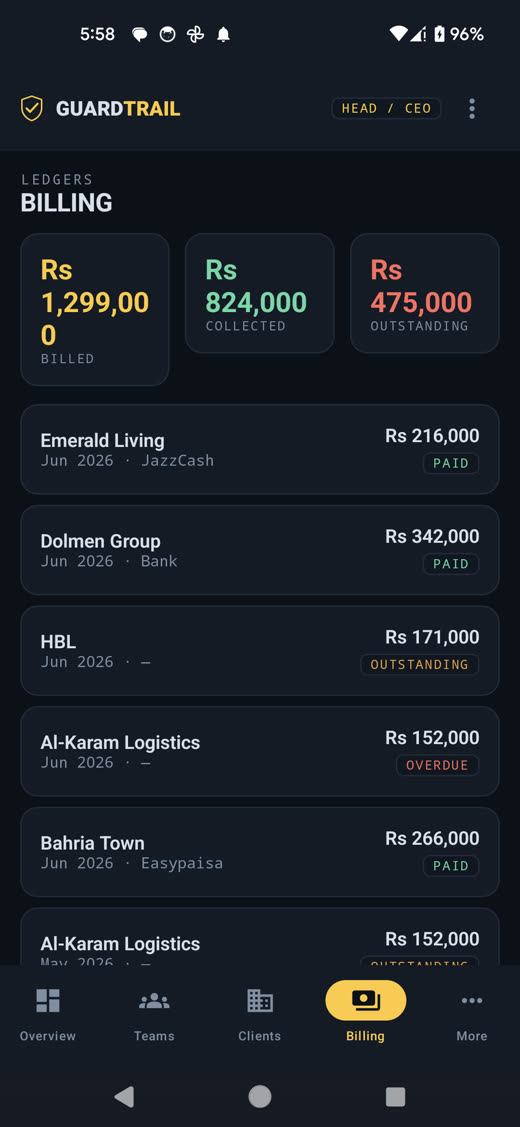
  • Revenue, billing ledgers & outstanding
  • All clients, contracts & support tickets

Can do

  • Add & manage sites, guards and clients
  • Create users & set access levels (roles)
  • Define geofences, checkpoints & rosters
  • Run & export any report (DAR, payroll, performance)
  • Manage invoices & payments
  • Triage & delegate support tickets to supervisors
  • Broadcast messages · set plan & pricing

Ops Manager gets the same operational control across all sites — assigning supervisors, managing rosters & incidents company-wide, and delegating tickets — without ownership & billing settings.
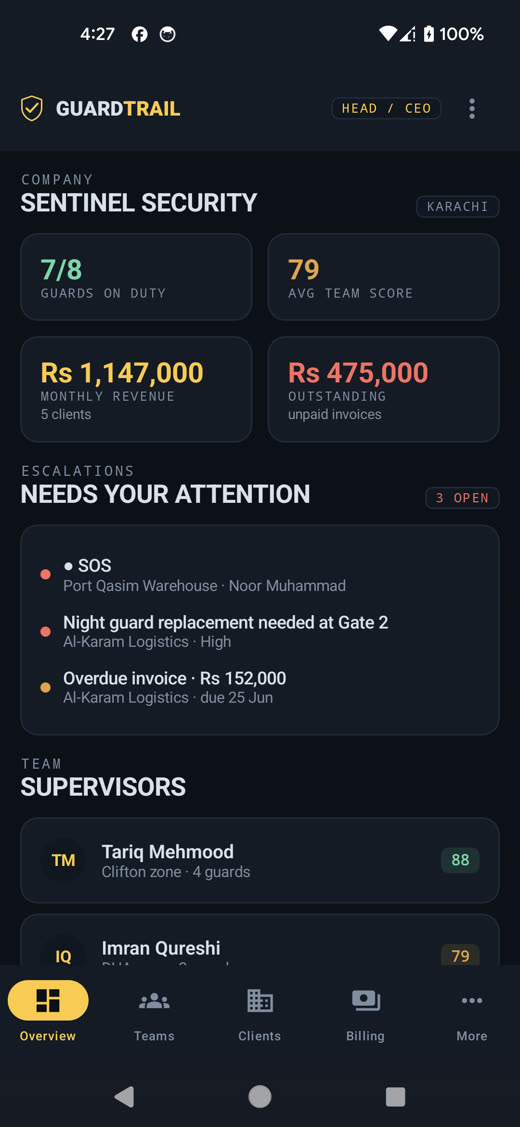
Owner command center dashboard
Owner billing ledgers
02 · ON THE GROUND

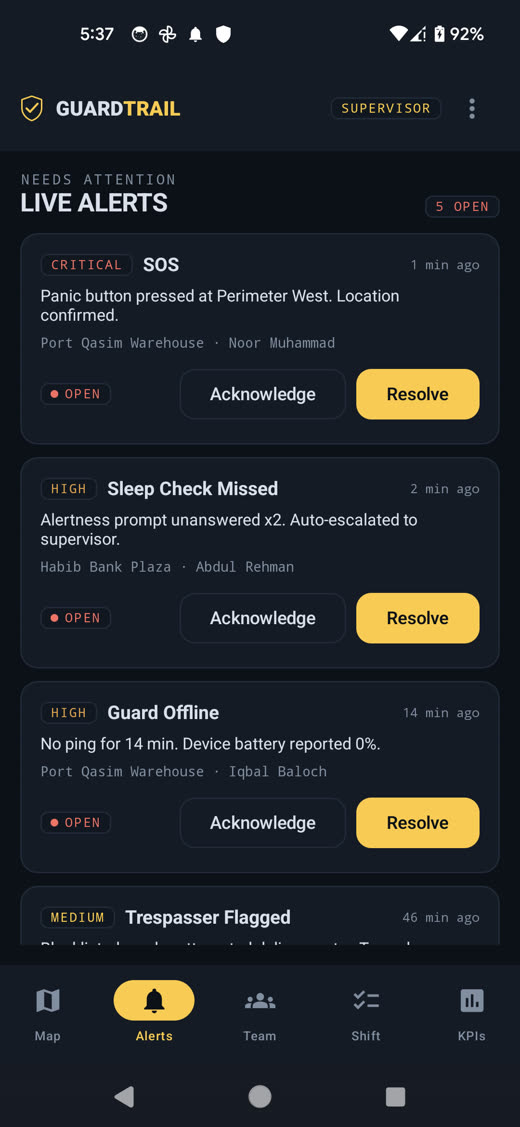
Supervisor / Team Lead

Their assigned sites and their own team — with the power to act, not just watch.

Sees

  • Only their assigned sites & own team
  • Live map of their guards
  • Their team's attendance & KPIs
  • Alerts, SOS & sleep-misses for their sites
  • Their own shift duties & performance score
  • Support tickets assigned to them

Can do

  • Run spot-checks — request a GPS-stamped selfie
  • Acknowledge & resolve incidents
  • Manage rosters, replacements & approvals
  • Approve end-of-shift DARs
  • Message their team
  • Log their own activity · action assigned tickets
Supervisor live alerts with acknowledge and resolve
03 · IN THE FIELD

Guard / Field staff

The simplest possible view — just their shift, their post and their tasks. Works on budget Androids, online or offline.

Sees

  • Only their own shift & post orders
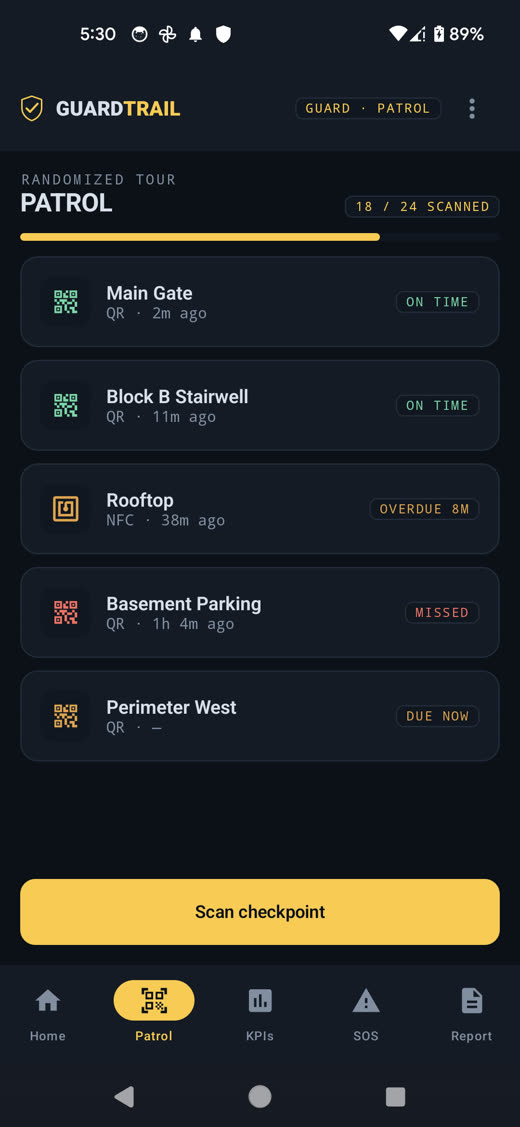
  • Their patrol route & checkpoints
  • Their tasks, alertness prompts & score

Can do

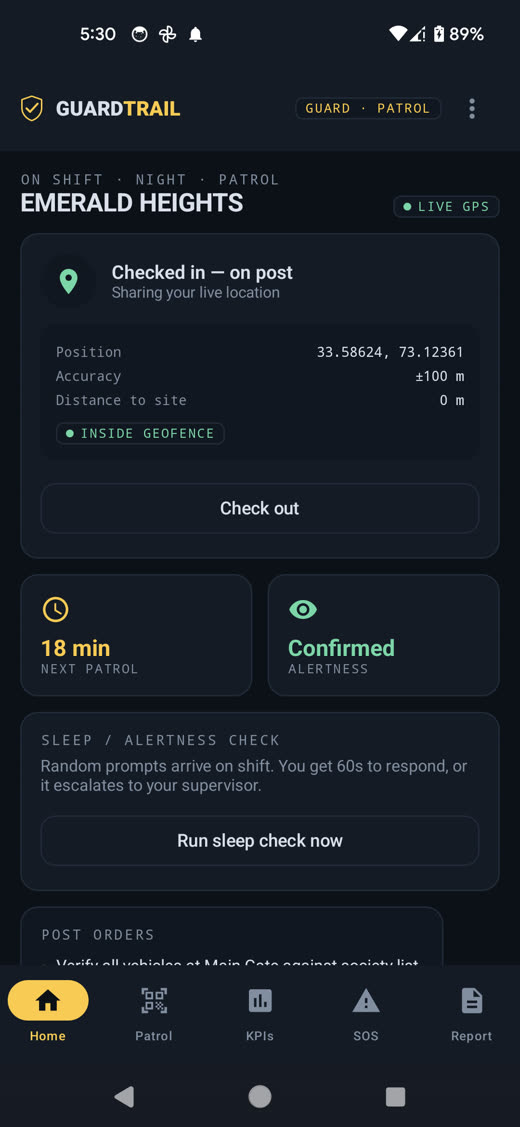
  • Geofenced check-in / out
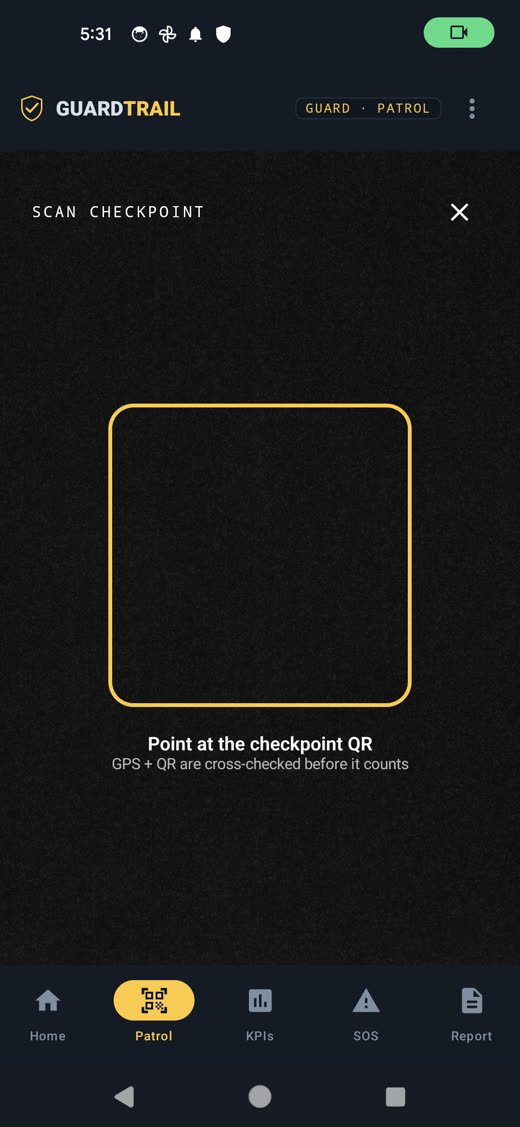
  • Scan QR / NFC checkpoints (GPS-verified)
  • Respond to random sleep-checks
  • Send one-tap SOS with live location
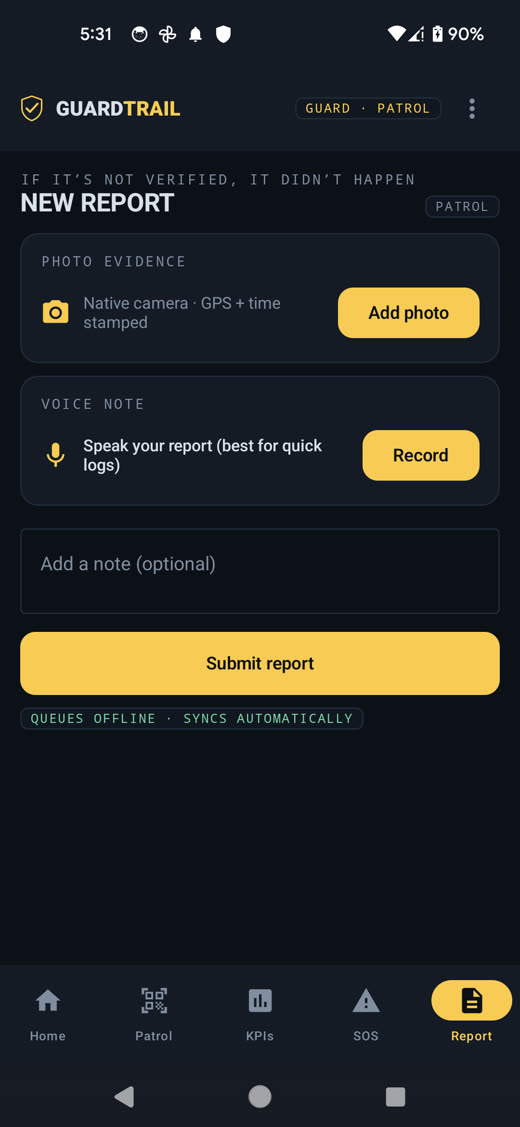
  • File incident reports with photo & voice

Stationary posts — Gate, Checkpost, Residence, Office get the same shift tools plus post-specific logging: entries & exits, visitors, vehicles and ID / access checks, with post-presence tracked by geofence.

Guard geofenced check-in
Check-inGeofenced, with live GPS.
Guard QR checkpoint scan
QR scanGPS-verified checkpoints.
Guard patrol tour
PatrolRandomized tour tracking.
Guard incident report
ReportPhoto & voice, offline-safe.
04 · YOUR CUSTOMER

Client / Customer

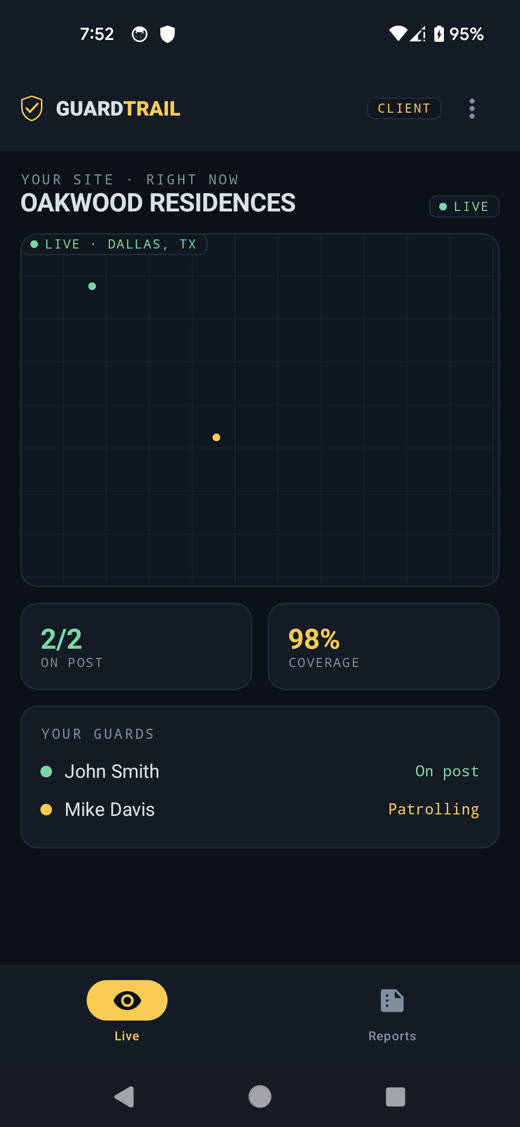
The feature that wins & keeps contracts — your client sees their own site, live. Never other clients, never your internal operations.

Sees

  • Only their own site
  • Their guards live on a map, right now
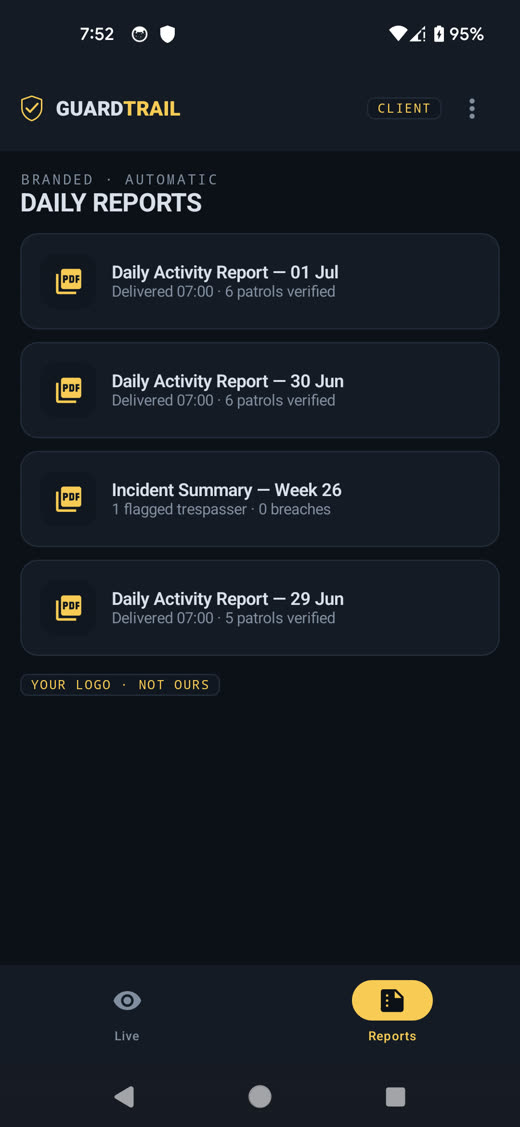
  • Their branded reports & invoices
  • Their own support tickets & status

Can do

  • Watch the live view of their site
  • Download branded DAR / incident reports
  • Raise support requests & track status
  • View & pay invoices
  • Request more guards
Client live view of their site
Client branded daily reports
05 · MONEY

Billing options

Simple per-guard pricing the Owner manages, and clean invoices your clients can pay themselves.

How it works

  • Per-guard, per-month — month-to-month, no lock-in
  • Volume pricing for larger fleets
  • Ledger tracks billed · collected · outstanding
  • Every invoice is Paid, Outstanding or Overdue

Payments

  • Card, ACH & bank transfer
  • JazzCash & Easypaisa in Pakistan
  • Clients view & pay only their own invoices
  • Automatic receipts & overdue reminders
Billing ledgers with paid, outstanding and overdue invoices
■ 06 · NOTHING FALLS THROUGH

Support requests & ticket delegation

Anyone can raise a request; it's triaged, delegated to the right person, and tracked to resolution — with each role seeing only what's theirs.

1
Raised

A client (or a supervisor / guard) opens a request and sets a priority.

2
Triaged

The Owner / Ops review it, confirm priority and SLA.

3
Delegated

Assigned to the right supervisor — or handled at HQ.

4
Actioned

The supervisor resolves it on the ground and logs the outcome.

5
Closed

Status flips to Resolved and the client is notified automatically.

OPEN IN PROGRESS RESOLVED — every ticket carries a clear status.
Who sees what: the Owner sees all tickets, a Supervisor sees the ones assigned to them, and a Client sees only their own. Backed by 24/7 human support.
■ AT A GLANCE

The full visibility matrix

full   ·   own scope only   ·   no access

CapabilityOwnerOpsSupervisorGuardClient
Live map — all sites
Team & guard performance
Manage people & access levels
Rosters & approvals
Resolve incidents · spot-checks
Check-in & patrol scans
Send SOS · file incident
Branded reports
Raise a support ticket
Delegate / assign tickets
Billing & revenue
View & pay invoices
■ SEE IT ON YOUR OWN SITES

Give every role the view it needs.

Owners, supervisors, guards and clients — one platform, each with exactly the right access. Start with your two hardest sites.